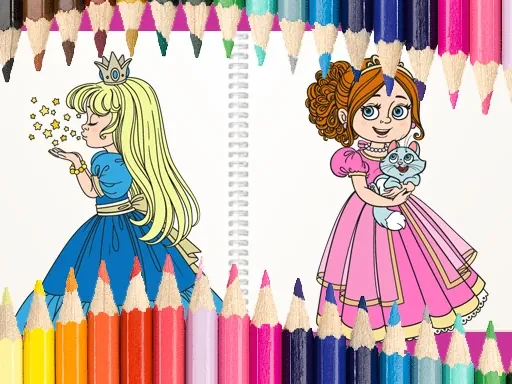

Princess Coloring Book Description
Princess Coloring Book Instructions
Q: How do I start playing Princess Coloring Book?
A: Simply open the game and choose a princess-themed picture from the gallery. Each image has outlined sections ready for coloring.
Q: What controls do I need for Princess Coloring Book?
A: On a computer, use your mouse to click a color from the palette, then click the area you want to fill. On a tablet or phone, tap your chosen color and then tap the section you wish to paint.
Q: Can I change colors after I fill an area in Princess Coloring Book?
A: Yes, you can select a different color and click or tap the same area again to replace the existing color. There is no undo limit.
Q: Are there any special features in Princess Coloring Book?
A: The game includes a variety of princess scenes, from castles to gardens, and a wide range of colors. You can also save your finished artwork to your device.
Q: Is Princess Coloring Book suitable for very young children?
A: Absolutely. The game uses large, easy-to-tap areas and a simple interface, making it perfect for toddlers and preschoolers who are learning to use touchscreens or mice.
Princess Coloring Book Details
Related Games
Magic Sort

Color blast
Italian Brainrot Coloring Pages
Wonder Coloring
Toddler Baby Phone

Among Us Coloring Book
Unicorn Coloring Challenge
Pokemon Coloring Book for kids
Mermaid Coloring Book
Ocean Kids Back To School
The Crazy Dentist wojak game

Ice Cream Toppings
Baby Games For Preschool Kids

Paper Princess Doll Dress Up

Princess Makeup Game

Anime Doll DIY Cosplay Girl
Royal Garden Match 2

Funny Celebrity Face Moments
Trump the Puppet
Cartoon Coloring for Kids - Animals

Sonic Speed Run
Bubbla Boing
Toytopia