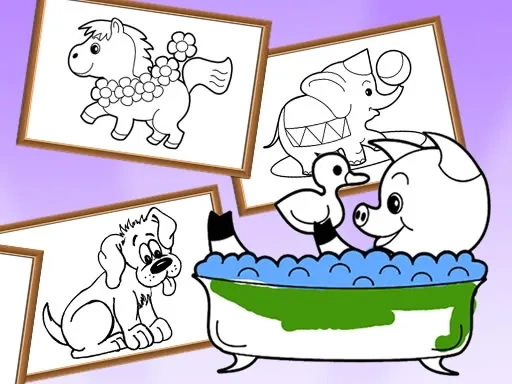

Cartoon Coloring for Kids - Animals Description
Cartoon Coloring for Kids - Animals Instructions
Q: How do I start playing Cartoon Coloring for Kids - Animals on a desktop computer?
A: Open the game in your browser, then click on any animal drawing to begin. Use your mouse to click a color from the palette, then click on the area of the picture you want to fill.
Q: How do I play Cartoon Coloring for Kids - Animals on a mobile device?
A: Tap on an animal drawing to select it. Then tap a color from the palette, and tap the part of the picture you want to color. The game responds to touch just like a real coloring book.
Q: Can I change colors after I paint an area in Cartoon Coloring for Kids - Animals?
A: Yes. Simply select a new color and tap or click the same area again to repaint it. You can experiment as much as you like.
Q: Is there an eraser tool in Cartoon Coloring for Kids - Animals?
A: No, but you don’t need one. Just paint over any area with a different color to change it. The game is designed to be forgiving and easy for kids.
Q: How do I save my finished drawing in Cartoon Coloring for Kids - Animals?
A: After completing a picture, look for the save or share icon (usually a camera or download symbol) on the screen. Tap or click it to save the image to your device.
Q: Can I play Cartoon Coloring for Kids - Animals offline?
A: That depends on how you access the game. If it’s a web-based version, you need an internet connection. Some app versions may allow offline play after initial download.
Related Games

Baby-Panda-Care-Game

Jump Kitty

Tennis Dash
Piggy In The Puddle 2
Merge Animals Mutant Fight
Animals Mix Up AI Hybrid
Animal Finder
Tile Farm Story: Matching Game
Bubble Piggies

Zombie Royale Io

Party Games Mini Shooter Battle
QBlock Puzzle
Magic Sort

Color blast
Italian Brainrot Coloring Pages
Wonder Coloring

Toddler Baby Phone
Among Us Coloring Book
Pumpkin Monster

Elastic Man

Dream Mania Happy Match

Fun Day :School Activities
Ocean Kids Back To School