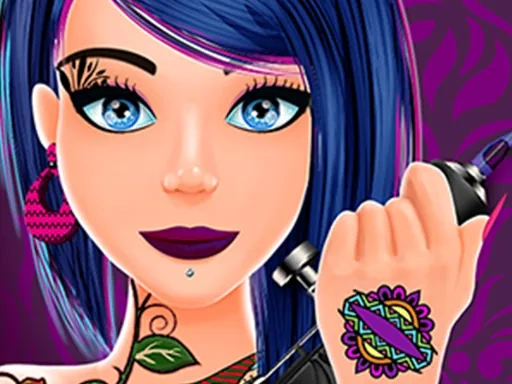

Tattoo Studio Description
Tattoo Studio Instructions
Q: How do I start playing Tattoo Studio?
A: Launch the game and you'll be in your studio. A client will arrive with a request. Use your mouse to select a tattoo design from the menu, then click on the body part to place it. Adjust size and rotation with the sliders before starting the ink work.
Q: What are the main controls in Tattoo Studio?
A: Left-click to select tools and apply ink. Hold and drag to trace lines or fill areas. Right-click to erase mistakes. Use the scroll wheel to zoom in for detail work. The toolbar on the side lets you switch between needle types, ink colors, and shading brushes.
Q: How do I complete a tattoo in Tattoo Studio?
A: Follow the on-screen guide: first outline the design, then fill the base color, and finally add shading and highlights. Each step requires steady mouse movement. The game tracks your accuracy—clean lines earn more tips and reputation.
Q: Can I customize my studio in Tattoo Studio?
A: Yes, as you earn money from tattoos, you can buy new furniture, wall art, and equipment. Upgrading your tattoo machine improves speed and precision. You can also unlock themed decor sets to attract different client types.
Q: What happens if I make a mistake in Tattoo Studio?
A: You can use the undo button to revert the last stroke, or the eraser tool to remove small sections. However, excessive corrections cost time and client satisfaction. Practice on the dummy mode to improve without pressure.
Q: How do I unlock new designs in Tattoo Studio?
A: Complete client requests to earn stars. Each star unlocks a new pattern category, such as tribal, floral, or geometric. Special designs are unlocked by achieving high accuracy scores on complex tattoos.
Related Games
Nail Salon 3D
All Seasons Nail Salon
Castle Match 3 Puzzle
Glow Nails Halloween
Funny Tattoo Shop Game
Monster Jeep Coloring
The Ink Shop Tattoo Art ASMR
Fashion Makeover 2021

Pool Billiards 3D

Baby-Panda-Care-Game

Truck Loader Master

My RockStar Girls - Band Party
Pop It 3D Fidget Toy Maker

Talking Tom Angela City Wedding Boutique
Lovely Doll Creator
Diy Clothing
Sid & Ginny Y2K Glam Clash
Barbee Met Gala Transformation
Delicious Smoothie Maker
Harvest Glam
Rainbow Girls NYE Fashion
Dress Up Bean
Black Friday Shopping Spree