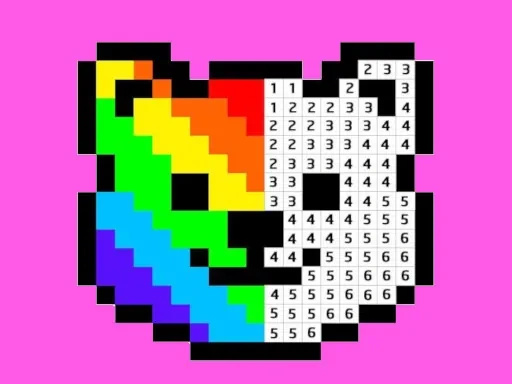

Pixel Art - Color by Numbers Description
Pixel Art - Color by Numbers Instructions
Q: How do I start coloring in Pixel Art - Color by Numbers?
A: Open the app, select a picture from the gallery, then choose a color from the palette. Find a cell on the canvas with the same number as the color, and tap it to fill that pixel.
Q: Can I fill multiple pixels at once in Pixel Art - Color by Numbers?
A: Yes. Press and hold on a pixel for about 2 seconds, then drag your finger or cursor across adjacent cells with the same number. All those cells will fill with the selected color in one motion.
Q: What if I make a mistake in Pixel Art - Color by Numbers?
A: Use the undo button to revert your last action. You can also restart the picture from the menu if needed.
Q: Are there new pictures added regularly in Pixel Art - Color by Numbers?
A: Yes, the library updates frequently with free images across different themes, including animals, landmarks, and cartoons.
Q: Does Pixel Art - Color by Numbers work offline?
A: Once a picture is downloaded, you can color it without an internet connection.
Related Games

Italian Brainrot Coloring Pages

Toddler Baby Phone

Wonder Coloring

Among Us Coloring Book

Jewel Classic - Free Match 3 Puzzle Game

Panda Pizza Parlor

Popcorn Puzzle - Ultimate Burst Chief
Smart Number

Sudoku: Classic Minimalism

2048 Cards
2048 Original

Panda Love

C.A.P.

Blocky Combat Swat 2

Zombie Merge

Magic Sort

Castle Match 3 Puzzle

Bloon Pop

Super Mario vs Wario

ASMR Relaxing Puzzle Games

Candy Balls

Sand Blast 1

Robo Shop