Zombie War 2D
Loading...

Zombie War 2D Description
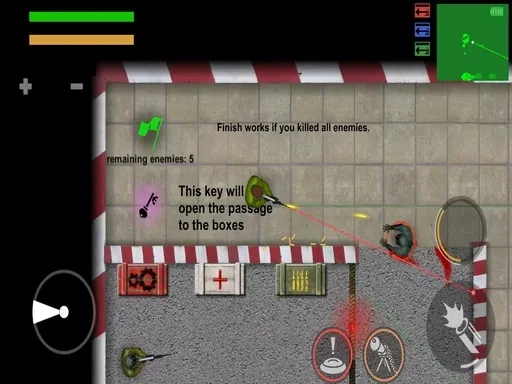
Zombie War 2D plunges you into the heart of a desperate, top-down survival shooter where every bullet counts and every decision matters. This isn't just a simple wave-based game; it's a tactical and visceral battle for survival against relentless, ever-advancing hordes of the undead. The core experience of Zombie War 2D is built upon an advanced and nuanced combat system designed to reward skill and precision. You'll need to account for realistic weapon mechanics, including bullet accuracy, recoil patterns, and weapon stabilization, which vary meaningfully between the arsenal at your disposal. Mastering different firing modes—from controlled single shots to desperate full-auto bursts—becomes crucial as the density of the zombie threat increases. Survival in Zombie War 2D also hinges on smart resource management, where tactical reloads can mean the difference between life and a gruesome death, forcing you to choose the right moment to make yourself vulnerable. Whether you prefer the pinpoint accuracy of mouse controls or the direct, immersive action of multi-touch on compatible devices, the control scheme is crafted to be intuitive, putting the focus squarely on the intense combat and strategic movement. The isometric 2D perspective provides a clear tactical overview of the battlefield, allowing you to plan your positioning, spot incoming threats from all directions, and manage the chaotic ebb and flow of the zombie war. Each session in Zombie War 2D is a test of endurance and adaptability, as you scavenge for better gear, fortify positions, and fight to push back the tide one grueling wave at a time. The title, Zombie War 2D, perfectly encapsulates this endless, large-scale conflict presented in a clean, accessible visual style, emphasizing the sheer scale of the outbreak and your role as a last line of defense in a world overrun.
Zombie War 2D Instructions
Q: How do I control my character in Zombie War 2D?
A: Use the WASD keys for precise movement and positioning around the battlefield.
Q: How do I aim and shoot during the Zombie War 2D?
A: Aim directly with your mouse cursor or touch input, then click or tap to fire your weapon. The game features a subtle auto-aim assist to help you track fast-moving targets, letting you concentrate on survival tactics.
Q: What are key combat mechanics in Zombie War 2D?
A: Pay attention to weapon recoil, stability, and firing modes. Remember to perform tactical reloads when safe, as a poorly timed reload can leave you defenseless against the horde.
Related Games

The Crazy Dentist wojak game

Soda Block Jam
Truck Loader Master

Draw Attack
Zombie Shooter 3D
Last Z Survival Shooter

Fly and shoot 1. Italian Bosses
Anti Terrorist Shooting Game

Protect From Snow Balls

Battle Blast
Plane
Apocalypse Truck

Squid Games Challenge

Top Balls
Space Brawlers TDS!
Puppets Cemetery

Overrun
Zombie Derby: Blocky Roads
PGA3 Zombie
Blocky Combat Swat 2

Professional Archerist
Zombie Horde: Build and Fight
Popverse: Bubble Shooter