Cubic Rush1
Loading...

Cubic Rush1 Description
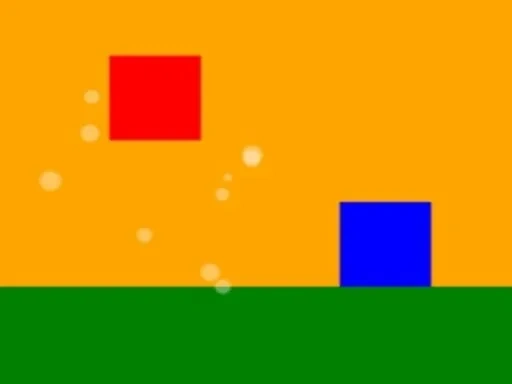
Welcome to Cubic Rush, a game that perfectly captures the essence of its name in a pure, adrenaline-fueled dash. In Cubic Rush, you take command of a vivid red cube, guiding it on an endless sprint across sleek, minimalist pathways. The core experience of the rush is defined by rhythm, precision, and escalating velocity. Your cube moves automatically forward under a bright, sunny sky, and your only task is to master the timing of its jump to clear the incoming blue cubic obstacles. Every successful leap in Cubic Rush is rewarded with a satisfying auditory pop and a burst of white particles, visually confirming your skill and adding to your score. However, the central challenge of Cubic Rush is its relentless pace. For every five points you earn, your speed increases incrementally, transforming a steady run into a frantic test of reflexes. This endless escalation is the heart of the Cubic Rush experience, where a single mistake—a collision with a blue cube—means a sudden end. The game's clean, vibrant visual style, with its contrasting red cube, green paths, and blue hazards, ensures that your focus remains solely on the flow and the timing required to survive. Cubic Rush distills the endless runner genre to its most engaging elements: simple controls, immediate feedback, and a difficulty curve that continuously pushes you to beat your previous best. It’s not just a run; it’s a rhythmic, pulse-pounding rush where every tap counts and every moment of focus extends your journey further into its endlessly unfolding, challenging world.
Cubic Rush1 Instructions
Q: How do I control my cube in Cubic Rush?
A: The controls in Cubic Rush are simple and intuitive. On mobile devices, tap anywhere on the screen to make your Red Cube jump. If you're playing Cubic Rush on a PC, press the SPACEBAR to execute a jump.
Q: How do I restart a run after a game over in Cubic Rush?
A: When your run ends in Cubic Rush, you can instantly start a new one. On mobile, simply tap the on-screen REPLAY button. On PC, press the R key to restart and dive right back into the action.
Related Games
Fall Days : İnfinity Jump
Subway Surfers London 2021
Runaway Fish Runner Game
Cristiano Ronaldo Kick N Run

Ragdoll Jump
Jump Kitty
Only Up Parkour 2
Sky Driver Car Stunt

Color blast
Plane
Bridge Race 3D

Pingpong Dot
Vector Parkour
StickMan School Run-3

running in foam
StickMan Run 2

Piggy In The Puddle 2

Stickman Sniper 2D

DunkChallenge

Bloon Pop
stick cricket
Rope Master
Sort Balls 3D