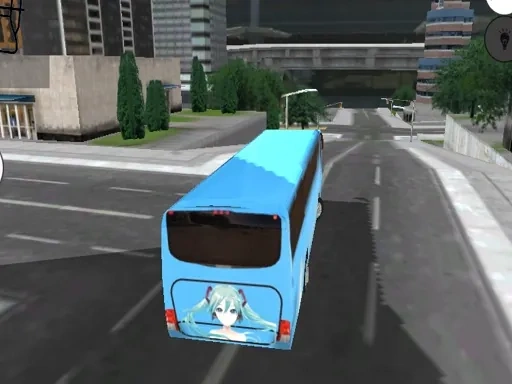

City Live Bus Simulator 2021 Description
City Live Bus Simulator 2021 Instructions
Q: What are the basic controls for driving in City Live Bus Simulator 2021?
A: Use the W key to accelerate, S to brake or reverse, A to steer left, and D to steer right. Adjust your speed gradually to maintain control, especially on turns.
Q: How do I complete a mission in City Live Bus Simulator 2021?
A: Follow the on-screen route markers to each bus stop. Stop close to the curb, wait for passengers to board, then continue to the next stop. Complete all stops within the time limit to pass the mission.
Q: What happens if I damage my bus in City Live Bus Simulator 2021?
A: Collisions with other vehicles or objects will reduce your bus's condition. Severe damage can fail the mission. Drive carefully and avoid sudden maneuvers to keep your bus in good shape.
Q: Can I change the camera view in City Live Bus Simulator 2021?
A: Yes. Press the C key to cycle through available camera angles, including interior, bumper, and overhead views. Choose the one that gives you the best visibility for the current situation.
Q: How is my performance rated in City Live Bus Simulator 2021?
A: Each mission is scored based on punctuality, passenger satisfaction, and driving safety. Higher scores unlock new routes and buses. Smooth driving and timely stops are key to a top rating.
Related Games

Subway Surfers London 2021
Crazy Car Traffic Racing 2021

Arithmetic Line 2021

Candy 2021 :game 2021 gratuit
Off Road bus Transport Driver: Tourist Coach Sim
Fast Bus Ultimate Parking 3D 2022
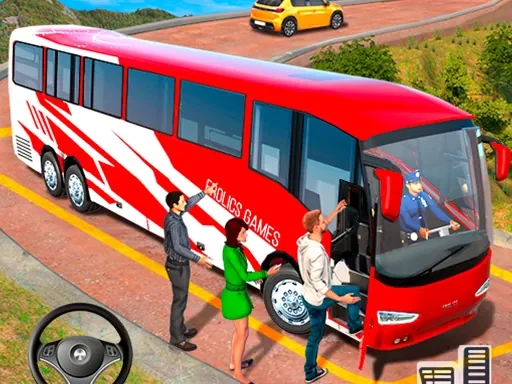
Modern Bus Simulator New Parking Games – Bus Games

Animal Bus Traffic Jam

Obby Universe: Mini Games Online

The Lost City - Match 3
Police Chase 2
City Cargo Truck Driving Game
Apocalypse Truck
Truck Delivery Simulator
Driver Zombie Escape 2D

Baby-Panda-Care-Game

Pool Billiards 3D
Truck Loader Master

My RockStar Girls - Band Party

3D Breakfast Prapare

Car Cargo Ship Game

Pirates Slay

Plants vs Zombies Online